Start with the workspace, not the robot
A robot in a shared workspace might carry parts across a factory floor, place items on a conveyor or hold a component while a person works nearby. The first safety question is not whether the machine looks advanced or friendly. It is where it can move, what it can carry and who is expected to enter that space.
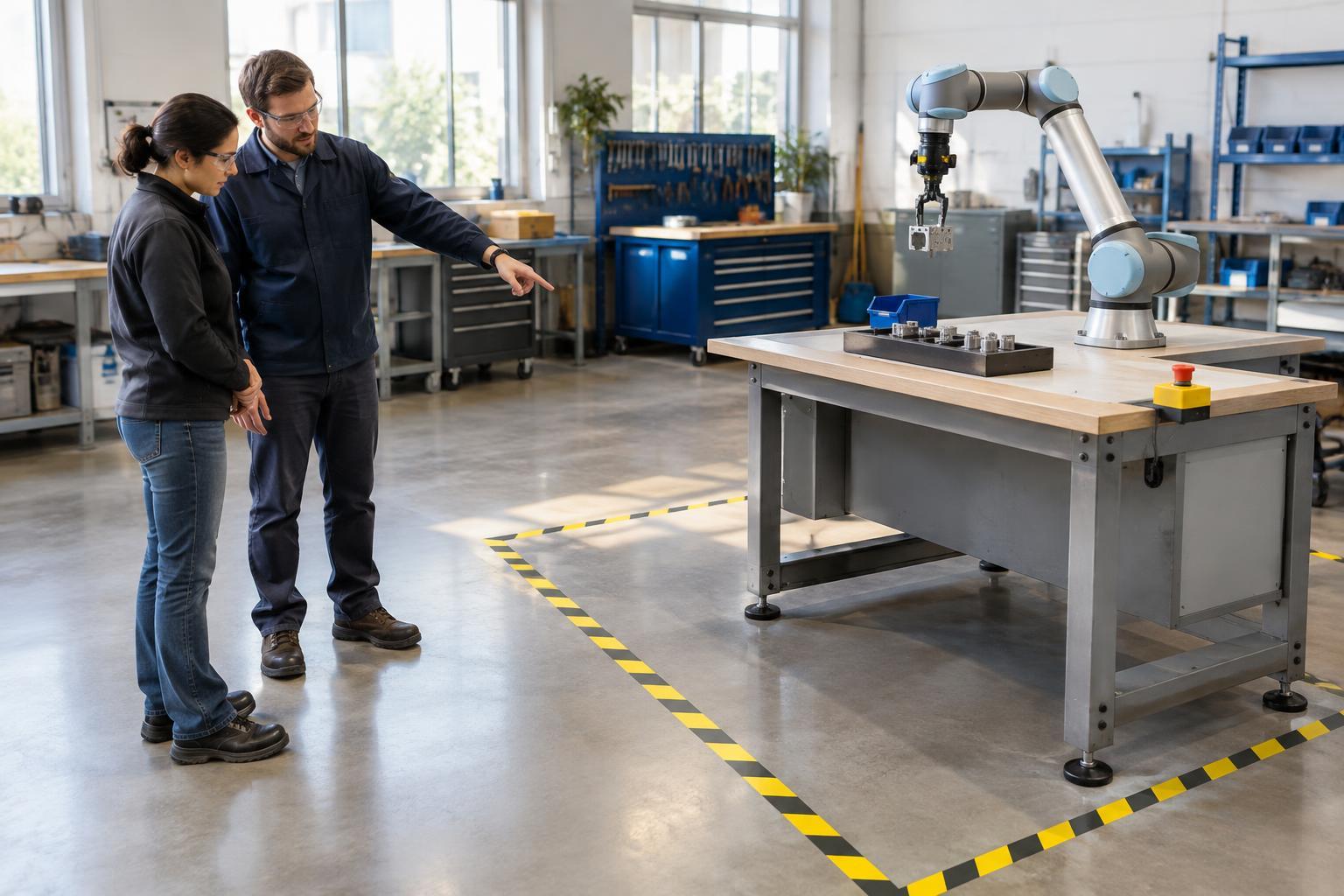
Look for marked routes, floor lines, barriers, gates, signs and designated places to stand or load materials. These features may indicate where a robot operates, but markings alone do not explain every hazard. A robot arm may extend beyond its base, and a mobile robot may turn or stop differently when its route is obstructed. Before starting a task, learn the boundaries and instructions for that specific workspace from the people responsible for it.
Understand what the robot can and cannot sense
Some shared-workspace robots use sensors to detect people or obstacles and then slow, stop or change behavior. Those systems can reduce certain risks, but they are not a reason to step into a robot’s path. A sensor may have a limited field of view, and the object a robot is carrying can create a hazard even if the robot itself moves slowly.
The term “collaborative robot,” often shortened to “cobot,” describes a robot intended for certain types of work near people. It does not mean that every task, tool or setup is safe to touch. A gripper can pinch, a carried object can fall, and a workpiece may have sharp or hot surfaces. Safety depends on the complete task and installation, not just the robot model.
Use a simple routine before working nearby
Begin by identifying your assigned route and work position. Notice where materials are picked up and placed, whether carts or boxes could block a robot’s path, and where other people may enter the area. Keep walkways and robot routes clear according to local procedures. If you are unsure whether a robot is active, paused or ready to restart, do not infer its state from a moment of stillness; ask someone authorized to confirm.
Only perform the interactions you have been trained and authorized to do. Loading a tray, clearing a jam and restarting a stopped machine are different tasks, even if they happen in the same spot. Do not reach past a barrier, defeat a gate or move a sensor to finish a job faster. If an item falls into an operating area, follow the site’s procedure for retrieving it rather than improvising a shortcut.
Know how to respond when something changes
A robot may stop because it detects an obstacle, loses a signal or reaches a condition set by its controls. A stop does not necessarily mean the area is safe to enter: movement might resume after a reset or when an obstruction is removed. Treat unexpected stops, unusual sounds, damaged guards and misplaced materials as reasons to pause your own work and notify the appropriate person.
Learn where emergency-stop controls are and what your site expects you to do if someone faces immediate danger. Emergency stopping is not the same as making equipment safe for maintenance or repair. Those activities require specific procedures carried out by authorized personnel. After any unexpected event, do not restart a robot simply to see whether the problem happens again.
Make shared safety a team habit
Robots often work within a larger flow of people, vehicles and materials. One person might leave a cart in a travel lane while another assumes the route is clear. A brief handover about blocked paths, changed tasks or equipment faults can help prevent that gap in understanding. Reporting a near miss is useful even when no one was hurt, because it gives the team a chance to examine what happened.
For a beginner, the most reliable habit is to replace assumptions with questions. Ask what the robot is scheduled to do, which areas are off-limits, who can stop or restart it, and how to report a concern. Good workspace design and protective systems matter, but they work best when everyone understands the task and follows the procedures built around it.